
Google Cloud Run's AI Agent Push Makes Day-2 Work Sprint Scope
Google Cloud is pushing teams beyond AI agent prototypes toward production-grade Cloud Run workloads. Product owners should estimate observability, security, data grounding, GPU cost, orchestration, and fallback behavior before the sprint starts.
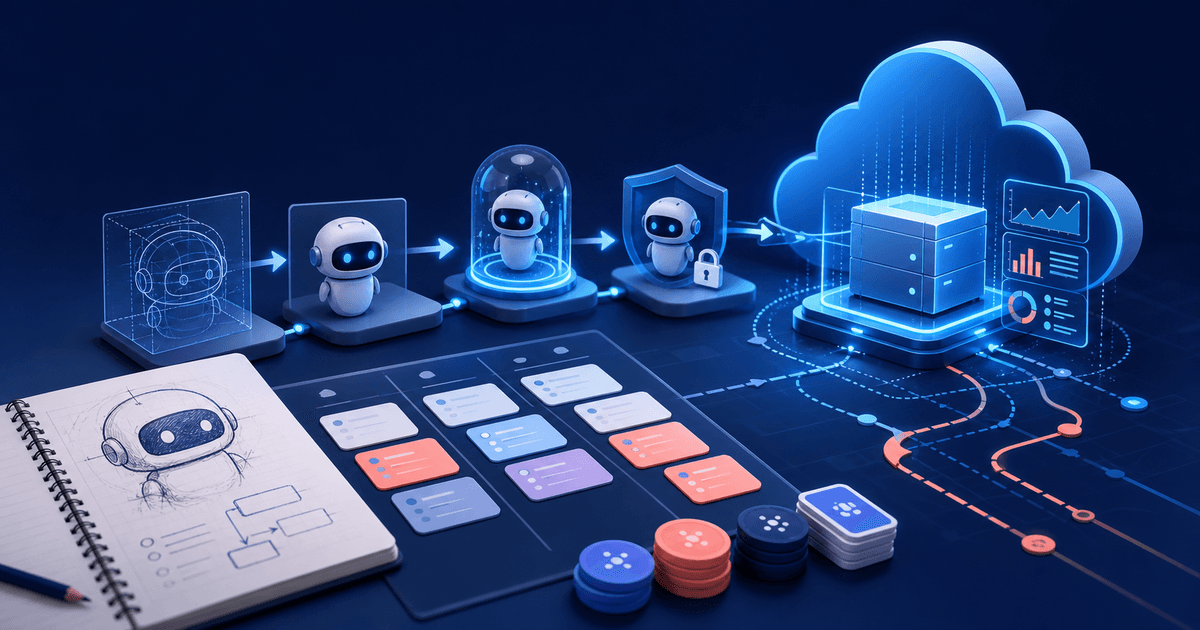
Google Cloud's July 8 update to its Accelerate AI with Cloud Run program is a useful signal for product teams: the exciting part of AI agents is no longer the prototype. The expensive part is Day 2.
The Google Cloud Labs post frames the 2026 curriculum around the full AI agent lifecycle, moving from fast prototypes to hardened, production-grade applications. The examples include agent development, retrieval-augmented generation, BigQuery MCP, Gemma 4, Cloud Run GPU offerings, and orchestration for longer-running agentic workloads.
That is not just cloud architecture news. It is sprint planning news.
If your backlog has an item like "launch an AI assistant", the estimate should not stop at the demo prompt. The production story includes the infrastructure, data contracts, monitoring, permission boundaries, cost controls, retry behavior, and human fallback paths that make the assistant safe enough to ship.
The prototype is not the product
AI tools make prototypes feel deceptively complete. A team can connect a model, call a tool, return a response, and show a convincing workflow in a day.
But a production AI agent has a different shape:
- It needs identity and scoped access to the systems it can act on.
- It needs data grounding, freshness rules, and source visibility.
- It needs observability for model calls, tool calls, latency, refusals, and cost.
- It needs a way to recover when a tool times out or a model gives a low-confidence answer.
- It needs limits on what the agent can do without human approval.
- It needs support playbooks when customers ask why the assistant did something.
That is why Day-2 work belongs in planning poker. It is where the unknowns live.
What product owners should estimate
For AI agent work, split the story before voting. A single "build AI agent" ticket hides too many separate risks.
Start with the user-facing capability:
- What decision or workflow does the agent help with?
- What data does it need to answer well?
- What action is it allowed to take?
- What does the user see when it cannot help?
Then estimate the production envelope:
- Data grounding: retrieval setup, indexes, source citations, stale-data handling, and test fixtures.
- Tool access: authentication, authorization, rate limits, idempotency, and approval gates.
- Runtime: deployment, scaling, cold-start behavior, GPU or model routing choices, and timeouts.
- Observability: logs, traces, cost events, usage dashboards, and support-friendly audit records.
- Safety: prompt-injection defenses, PII handling, blocked actions, model refusal copy, and escalation paths.
- Rollout: feature flags, internal cohorts, beta domains, rollback plan, and customer communication.
Those are not "nice to have" extras. They are acceptance criteria for a production AI workflow.
A planning poker pattern for AI agents
Use two votes when the team estimates agent work.
First, estimate the visible product behavior. That is the user story the customer understands.
Second, estimate the production readiness wrapper. That is the operational work the customer expects without naming it.
If the first vote is a 5 and the second vote is a 13, do not average them. You have discovered two stories.
For example:
- Story 1: Let a product owner ask an AI assistant to summarize open Jira issues for sprint planning.
- Story 2: Add source citations, usage tracking, workspace permissions, model fallback, and support logs for AI planning summaries.
The first story proves the workflow. The second story makes it shippable.
Cloud Run is a reminder to think in services
The Google Cloud post is focused on Cloud Run, but the planning lesson applies across any serverless or container platform. AI agents are services. They have dependencies, costs, and failure modes.
That means teams should ask ordinary engineering questions again:
- What happens if the model provider is slow?
- What happens if the data connector returns partial results?
- Who can see the prompt and response history?
- How do we cap spend per workspace?
- Which events prove the feature is creating value?
- Which actions require human review?
These questions make estimates better because they turn fuzzy AI excitement into concrete work.
Add these acceptance criteria before the sprint
Before an AI agent story is ready, include acceptance criteria like:
- The agent only accesses data the current user is authorized to see.
- Every generated recommendation can show its source or explain when no source is available.
- Failed model/tool calls return useful fallback copy, not a blank response.
- Usage and cost are recorded per user, workspace, and feature.
- Admins can disable the agent without redeploying code.
- The team has a rollback path if latency, cost, or answer quality regresses.
That is the difference between estimating a prototype and estimating a product.
The takeaway
Today's Cloud Run AI agent news points in the same direction as the rest of 2026: teams are moving from "can we build an agent?" to "can we operate one responsibly?"
PlannerPoker teams should bring that shift into refinement. When AI features enter the backlog, vote on the whole lifecycle: user value, data access, runtime behavior, monitoring, cost, safety, rollout, and support.
That is how you keep the magic of AI without hiding the work from the sprint.
Sources
- Google Cloud Labs: Accelerate AI with Cloud Run, Google Cloud